
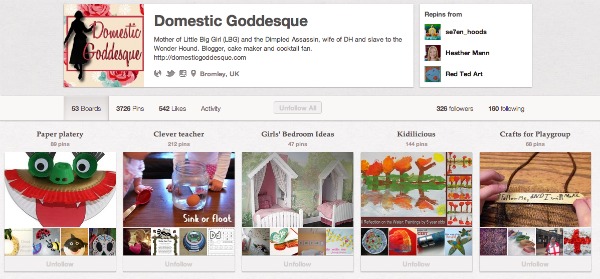
Pinterest has exploded recently in popularity and is a great way to share the images that inspire you. But if you’re wondering how to get started, Kelly from Domestic Goddesque is here to help. Here, her tips on diving in and making the most of Pinterest.
Pinterest is an online pin board. If you, like me, have a stash of pages torn from magazines in a corner of your house somewhere (they *ahem* might even be categorised and alphabetised) then this is the 21st Century format. And I promise you that it is very easy to use and very addictive!
To use Pinterest you will need an invitation, which sounds terribly exclusive, but I’ll let you into a little secret: just go to Pinterest.com and click on Request an Invite.
Once you’ve got your account, fill in your profile details. These are the details that show up when someone is looking at your boards, so take the time to tell the world a bit about yourself and add a picture/avatar. if you are a blogger, think about the name that you want to be known as on Pinterest. As with every other Social Media Network, it pays to work with one identity.
Below these details, there are buttons for controlling the feed from Pinterest to Facebook and Twitter (if you have accounts with either, you will need to follow instructions to ‘link’ them to your Pinterest page). By switching these settings on, every image you ‘pin’ will appear in your Facebook and Twitter timeline.
You will also see an option called Change Email Settings. I strongly recommend that you click on this and adjust these settings so that you are notified once per day rather than every time someone repins your pin.
Now you are ready to go pinning.
Once you are logged into Pinterest, click on the Pinterest logo at the centre of the top of the page. This will take you to what is your home page: it shows those things that have recently been pinned by those you follow. Pinners You Follow should be highlighted in bold underneath the logo. Next to that are four other categories:
Everything: hover and you will get a drop down box listing all the categories currently available on Pinterest. You can therefore browse a particular subject, looking at the images others have pinned under these headings.
Popular: images that are getting repined a lot and/or have a number of comments.
Video: yes, you can pin video.
Gifts: again, there is a drop-down box relating to price brackets. You can therefore search Pinterest for gift ideas, although bear in mind that, as this is an American site, most of the items will be hard to get in the UK.
A pin is essentially an image you want to keep for whatever reason. If you hover over an image on Pinterest, three options will appear:
Repin: click and use the drop down box to pin to one of your boards, and add a description to explain to yourself why you pinned it.
Like: this will save the image to your ‘Like’ page. I use this as a holding page for pins that I don’t know whether I will actually pin or not.
Comment: if you want to remark on an image with or without pinning it. Perhaps you think it’s perfect for one of your friends to pin, in which case if you type @ followed by their Pinterest name, they will get notified that someone has mentioned them and will subsequently see the image. Comments are also used for conversation relating to a pin if it is unusual, striking, and sometimes inappropriate: I frequently get notified that someone has commented on a pin I have of a ‘trick for learning your 9x tables’ as people seem to have very firm opinions on whether it is a good thing to have a trick to learn something.
The search function is very simple: enter a search term and see what results. When your search is complete, you have the option of narrowing that search by Pins, Boards and People. Perhaps you are trying to find someone you know is on Pinterest? Would you like to follow all boards relating to Hobbs? Are you hoping to find slow-cooker recipes?
There is a second method of finding friends: hover over your avatar on the top right hand side of the page and find friends is one of the options. You can also invite friends from the same menu, or click on the very obvious red button under your profile.
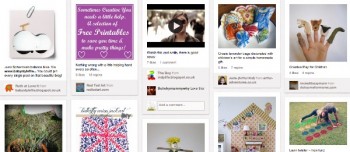
The drop-down menu on your avatar is also the way to access your boards (you can also access your pins in the same way, and your likes.) A board is a collection of pins that are grouped together under the title you choose. You can have as many boards as you want, although Pinterest does give you four to start off with. Label them clearly so that others can find them easily. Your boards all appear on one page when you click ‘boards’, so that you can get an overview of your ‘collections’. It is also possible to rearrange their layout here too, perhaps so that the ones you access most are at the top of the page. This is also the layout that people will see when they click on your profile.
You have a timeline on the left-hand side of the page, which shows your recent activity and any activity related to you and your pins, in real time: if someone follows you or one of your boards, repins or comments on one of your pins, mentions you in a comment, this will all appear. Clicking on the individual notification will take you to the relevant pin, and will also show the board on which this pin appears, as well as suggesting other pins that originated from the same website. On the right hand side of the image, you will see options to Like on Facebook, Tweet, Embed, Report Pin and Email.
At the bottom of all pages is the best button ever, Scroll to the Top, which does exactly what it says.
 Kelly has been blogging as Award-Nominated Domestic Goddesque since 2007, when job loss and miscarriage took her out of the jobs market. Now mother to two unfeasibly photogenic children, she relies on blogging to keep her sane between scooping dog poo, ironing shirts and bidding for the latest Barbie DVD on eBay. Cake maker, glue-gunner and professional hidier (hiding the mess rather than tidying it), she writes about crafts, cooking and is occasionally amusing. She likes Champagne and chocolates and is open to bribery.
About
BritMums is the UK’s original collective of lifestyle bloggers and digital influencers, fueling the country’s most influential social content. We lead the online conversation with members who are parent social influencers creating content on topics ranging from food, parenting, travel, politics, style and more.
How to use Pinterest: a blogger case study | The BritMums Blog | DueroMX
Monday 23rd of April 2012
[...] Pinterest has exploded recently in popularity and is a great way to share the images that inspire you. But if you're wondering how to get started, Kelly from …www.britmums.com/2012/04/pinterest-case-study/ [...]