

Pictures: Syda via Shutterstock
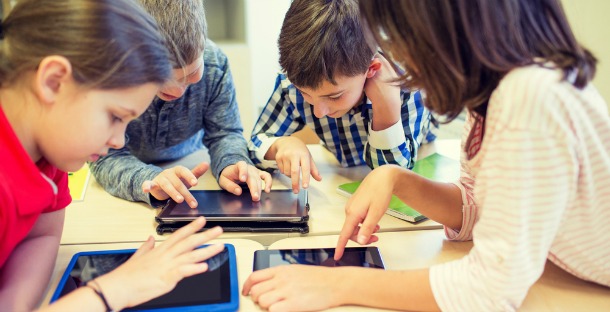
Our children are growing up online – on their computers, tablets and ever-present mobiles. At our #SecureKidsOnline Twitter chat, we talked about how to protect our children online and teach them smart practices that will serve them for years.
The chat was sponsored by F-Secure, a leading European cyber security company with decades of experiences defending enterprises and consumers against everything from opportunistic ransomware infections to advanced cyber-attacks.
At the #SecureKidsOnline Twitter chat, you shared lessons you teach your children, plus revealed smart strategies you can put to use. We were also joined by F-Secure expert Tom Gaffney, who answered questions about online security.
What are parents worried about?
1. Also concerned about how much personal information our son is sharing online @deanwilloughby
2. Particularly pop-up ads during online games. Worried little one will accidentally click one! @littleblondpea
3. When our grandchildren visit, how can we be sure they are only accessing safe sites? They love using the net! @libra10001
4. I worry about cyber bullying + WHO they are speaking to online as it is so easy to be someone they are not @Tantrums2Smiles
Security tips from F-Secure
5. If you’d like to try our SAFE software free for 3 month, go here
https://t.co/wyrQviCFIt @fsecureukteam
6.
Q: I hate inappropriate pop-up adverts. Wondered if there was any way to block these. @FoxVillagefox
A: Use an adblocker. You can find ours here: https://t.co/LLEGGy58Qc https://t.co/CPFuaPZxqj @fsecureukteam
7. Check out Kodakchat for older kids who want to message friends. You can see who they are contacting but not the content @fsecureukteam
8. Use the parental controls on your security software. If you have a Windows machine, set up a separate account for them @fsecureukteam
9.
Q: Should computer etc. always be in room with parents? Til what age? @kateonthinice
A: Try to keep the computer in the same room until 12yrs. After that, they’ll push the boundaries. Trust is vital then. https://t.co/EUCAtLh9f6 @fsecureukteam
10.
Q: I’d like to know about the new kid’s youtube app. How do you rate it? @missielizzieb
A: It’s a good thing. Kids want to use YouTube, so if they’re going to, best they use the filtered version. @fsecureukteam
11. Don’t save card details to the browser and make sure phone accounts don’t have card details saved either @fsecureukteam
Strategies parents use
12. Love this idea for remembering online rules https://t.co/HXzIuwmBM2 @BritMums
13. On normal YouTube you can turn off the ability to view ‘adult’ videos too @ikkle87
14. Good tip on 1st line of defence on keeping kids safe online: talk to them https://t.co/HcBedDrXMH @BritMums
15. I am hoping that by teaching my son internet safety now he will be clued up when he is active online as a teenager @Tantrums2Smiles
16. Terrifying! He’s not allowed to talk to anyone online. Unless I’ve added their username (school friends only) @jhill1105
17. I always make sure I am in the room with my nephews when they are round mine using the net @greigo_uk
18. It is easy to protect computers. Create a Windows account with no rights to download @jrandrews72
19. No secrets rule. They can tell me anything without judgement and I will help. @MamaEdenandMe
20. I check in the evening now and then just to make sure she is open but be naive – groomers are very good at it @Claireabella95
21. At the end of the day kids are kids and need to be supervised appropriately @MamaEdenandMe
22. On my phone he now has a dedicated folder of his apps & isn’t allowed to access anything else @kateonthinice
Be vigilant about in-app purchases
23. Hearing several stories about kids using stored credit card details and running up in-app purchases. Scarily prevalent! @BritMums
24. My friend’s little boy did this as he thought he was using the coins he had found in the game not real money @Tantrums2Smiles
25. Most people I know have had some sort of “in-app” purchase or stored card horror story!! @Luckysammyg
26. Extra credits and “weapons”. He just kept buying them as credit card details were stored @caro_mad
27. They are very rare unfortunately. My friend’s son made in-game purchases worth £950 – no chance of a refund @caro_mad
28. It’s very often not made clear that in app purchases costs ‘real money’ not just ‘gold coins’ @emmahedges4
29. When I download a new game/app for my son I try to have a play first to check for errors/ dangerous pop-ups! @Tantrums2Smiles
30. Putting a password on your app stores with settings that it ALWAYS needs tio be used helps @VeeJay78
31. Good apps allow you to block in-game purchasing if you have little ones on your devices! @mrspixelwife
32. I’ve added gift cards to my daughter’s account instead of card details. It helps limit any damage @Savvybunny
Things you might not have thought of
33. Didn’t know anyone could join parties on Xbox so I turned those settings off too @jhill1105
34. My boy’s purchased items off Ebay before without me realising! Luckily was able to retract @LoopyLouVix
35. If you allow your kids to use your phone for games, sign out of eBay and other purchasing sites! @arepopsblog
36. If your children go to a childminders, ask for their policy on keeping online security. It’s important @josea66
37. They know I have passwords for their sites so if I want to check, I can. It’s good practice @kiwi7001
38. This is fantastic thank you. We all teach our children not to talk to strangers but not about online dangers @tobylerones
The last words
39. I saw a tip for teenagers I thought made sense… “If you wouldn’t do it face to face – don’t do it online” @amazelucy
40. Don’t feel pressured in to letting your child online if you don’t think they are ready/ mature enough! @Tantrums2Smiles

About
BritMums is the UK’s original collective of lifestyle bloggers and digital influencers, fueling the country’s most influential social content. We lead the online conversation with members who are parent social influencers creating content on topics ranging from food, parenting, travel, politics, style and more.